
The fastest way to find arrests by date is to go directly to the county sheriff's office, jail portal, city police department, or state patrol website and use the booking date or arrest date filter built into their search tool. Enter a single date or a short date range, then confirm any preliminary details against court clerk records for the final case outcome. Online aggregator sites can speed this up across multiple counties at once.
TL;DR:
- Official arrest logs are most accurate when searched directly through sheriff's, police, or state patrol websites using arrest or booking date filters.
- Confirm case finality by cross-referencing booking numbers and names with county court records, since logs only show initial booking information.
- Date format mismatches, time zone differences, and misspelled names often cause failed searches, so narrowing the date range or using booking numbers improves results.
- Aggregator services can streamline multiple county searches but should be used only as initial leads before verifying details with official court records.
- Always document booking numbers and verify the final case status before drawing conclusions from arrest data.
Table of Contents
- How to search official arrest logs by date
- Reading arrest logs correctly and confirming outcomes
- Common problems when searching arrests by date
- How Registry Recognizer helps with date-filtered arrest searches
- Search date-filtered arrest records faster with Registry Recognizer
- A note on responsible use and two habits worth building
- Sources
How to search official arrest logs by date
Every county does this a little differently, but the mechanics rarely change once you know what to look for.
- Find the right portal. Start with the county sheriff's office or jail website, such as the Elizabeth Inmate Search | Allen Parish, since that's usually where booking data lives first. If the county doesn't publish one, check the city police department or your state patrol's public arrest reports page.
- Accept the disclaimer. Most sites make you click through a notice before you search. These disclaimers exist because the data is provided as a courtesy and can change as a case moves through the system.
- Locate the date field. Look for labels like "arrest date," "booking date," or "date booked." Some portals let you pick a single day; others require a start and end date for a range search.
- Narrow with filters if needed. Agency, charge type, or name fields help when a date search returns dozens of results, which is common in larger counties.
- Save your results. Screenshot the page or note the booking number before you close the tab. Many county sites don't archive old daily logs for long.
A few practical notes make this go smoother:
- Some counties only show "today" and "yesterday" by default. You'll need to dig into an archive or advanced search to go further back.
- Booking number is more reliable than name when you're cross-referencing later, since names can be misspelled or duplicated.
- If a portal times out or errors on a full date range, try narrowing to a single day first.
Pro Tip: Write down the booking number and arresting agency before you leave the page. Those two details are the fastest route to finding the matching case file on a county clerk's website later.
Reading arrest logs correctly and confirming outcomes
An arrest entry tells you someone was booked. It does not tell you what happened next.
Booking logs are preliminary by design. They typically won't reflect a dismissal, a reduced charge, a plea deal, or a not-guilty verdict, because those updates happen in the court system, not the jail's booking database. For that reason, court clerk records are the only reliable source for final case status.
Here's the practical sequence for verifying an entry:
- Note the booking number and, if listed, the case number from the arrest log.
- Search the county clerk of court's online case records using that number or the person's full name.
- If the clerk's portal doesn't return results yet, wait a few days. Cases often take time to appear after booking.
- Call the clerk's office directly if you need a certified copy of any document.
One detail worth knowing: most portals only show booking-only information, which means there's often a delay before a dismissal or expungement gets reflected anywhere online. If the case involves someone in the public eye, a district attorney's press release can sometimes fill in context that the raw booking log leaves out. And if the stakes are high, whether it's a custody dispute, a job application, or a legal filing, talk to an attorney before treating an arrest entry as the final word.
Common problems when searching arrests by date
A handful of small issues cause most failed date searches.
- Date format mismatches. Some sites want MM/DD/YYYY, others accept MM/DD/YY, and a wrong format can silently return zero results instead of an error. Test with a known recent date first to confirm the format works.
- Time zone gaps. A booking logged at 11:45 PM might land on the next calendar day depending on how the system timestamps it. If you're missing a record you expect, check the day before and after.
- No results at all. Widen your search to a 48 to 72 hour window, or try the neighboring county if the person could have been booked elsewhere.
- Name spelling issues. Try partial last names or search by booking number if you have it. When none of that works and you genuinely need the record, most counties accept a formal public records request.
How Registry Recognizer helps with date-filtered arrest searches
Checking one county's portal is manageable. Checking ten, each with different date formats and disclaimers, is not. Some aggregator websites combine booking and arrest entries from official county sources and apply a consistent date filter across all of them, so you're not relearning a new interface every time you switch jurisdictions.
The database updates regularly, but it's still a secondary source. It reflects what county portals published; it doesn't replace the official court case record for confirming final disposition. A record for Grand Jury Indictment vs. Arrest explains why that distinction matters legally.
The practical workflow:
- Use Registry Recognizer to scan broadly across counties for a name or date range.
- Pull the booking number once you find a likely match.
- Verify final case status through the relevant county clerk before you rely on it for anything official.
Pro Tip: Treat any aggregator, including this one, as your starting point for a search, not your finishing point for a legal conclusion.
Search date-filtered arrest records faster with Registry Recognizer
These types of services save you from bouncing between many county sheriff sites with different date pickers. One search pulls booking entries across counties, so you can scan a date or range without learning each portal's quirks first.
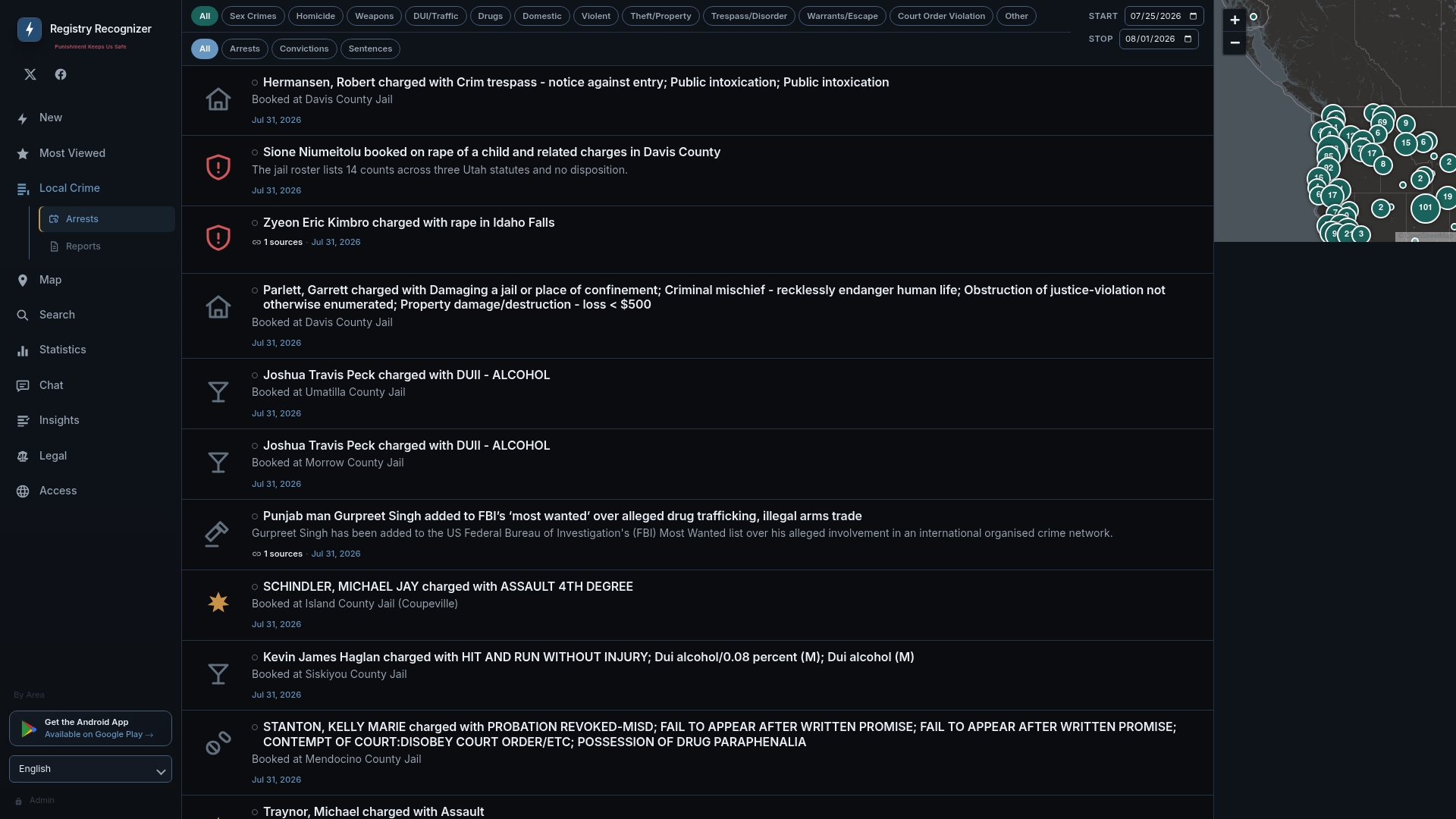
Start with the Registry Recognizer database to search by date and location in one place. Want to see what a full entry looks like before you dig in? This sample booking record shows the typical fields, charges, and jail location you'll find. As always, treat anything you find here as a lead worth verifying through the county clerk's office before acting on it.
A note on responsible use and two habits worth building
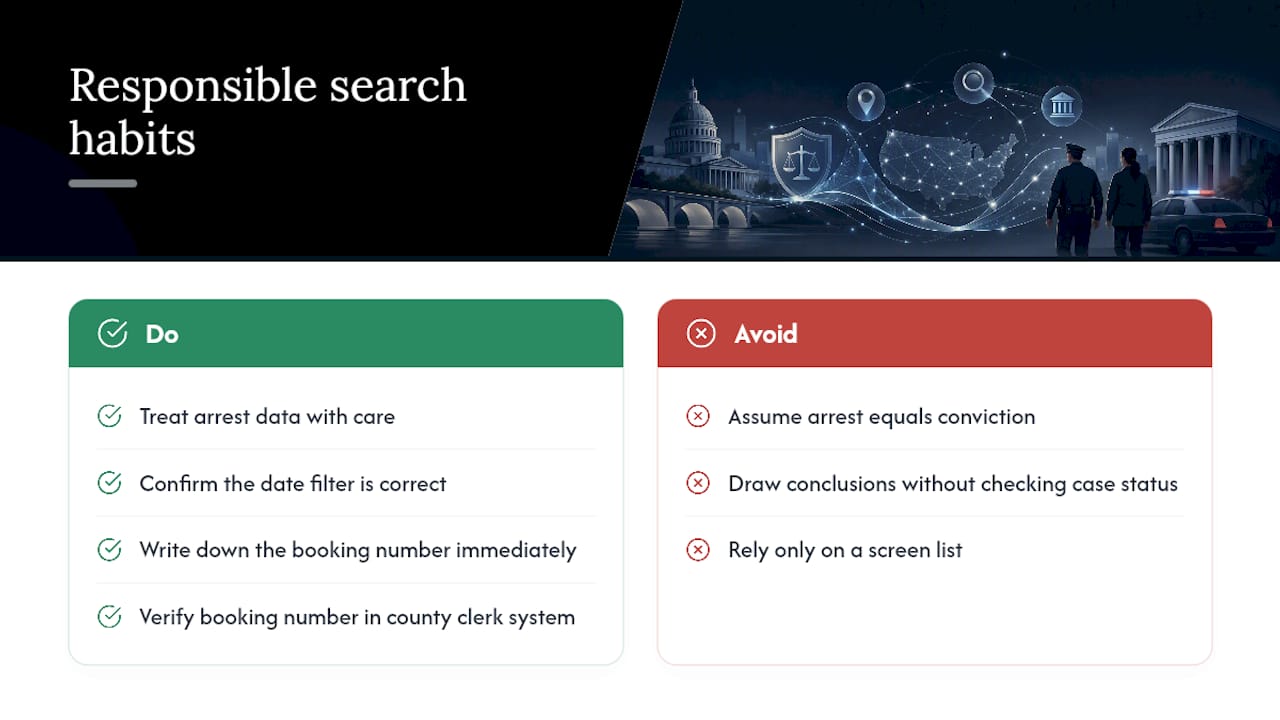
Arrest data carries real weight for real people, so treat it with some care. An arrest is an allegation, not a verdict, and it's easy to forget that when you're scanning a list of names and charges on a screen. Before you draw any conclusion, run the booking number through the county clerk's system and see where the case actually stands.
Two habits make every search better: always confirm the date filter is set to what you think it's set to (format errors cause more missed results than anything else), and always write down the booking number the moment you find it. You'll need it later, and county sites rarely make it easy to find the same entry twice.
— Sean
Sources
Not every agency structures its data the same way, so it helps to know what you're likely to find before you start clicking around.
County sheriff and jail sites tend to be the most detailed. Gwinnett County's inmate services portal is a good example: it lets you filter by booking date and shows charges, booking numbers, and often a mugshot. Weld County's daily arrests page works similarly, listing every booking for a chosen date along with the arresting agency.
City police departments run their own systems, usually called something like an "adult arrest search." The Chicago Police Department's version explicitly excludes juvenile records, which is standard across most municipal portals.
State patrol and highway patrol sites cover a different slice of the picture. Missouri's Highway Patrol arrest reports can be sorted by date or by troop and region, which matters if the arrest happened on a highway rather than within city limits.
Expect gaps: sealed records, ongoing investigations, and juvenile cases almost never show up in these public logs.